
Hover Image
Hover Image
A stunning hover-based image preview component. When users hover over project titles, a smooth mouse-following thumbnail appears showcasing the corresponding image. Perfect for portfolios, project showcases, and creative agency websites.
Component preview
Shree Krishna
The Supreme Personality of Godhead
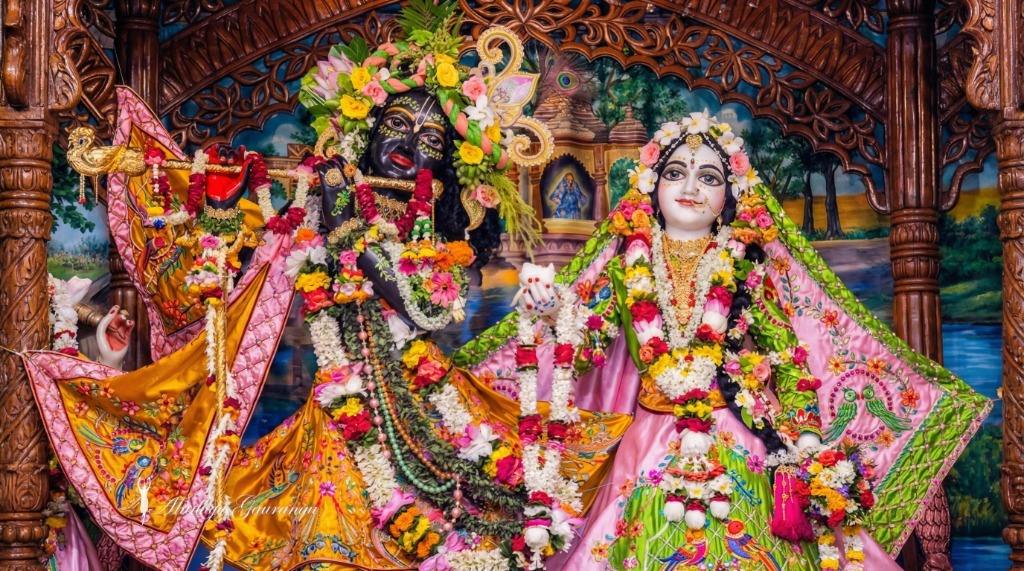
Radha Krishna
The Divine Couple
Divine Love
Eternal Bond


Install using CLI
npx shadcn@latest add "https://www.obsidianui.dev/r/hover-img.json"Install Manually
1
Install dependencies
npm install gsap
2
Copy the source code
Copy into components/block/hover-img.tsx
"use client";

import React, { useRef, useEffect } from "react";
import gsap from "gsap";
import "@/components/block/hover-img.css";

interface ProjectItem {
    title: string;
    label: string;
    imageSrc: string;
}

const defaultProjects: ProjectItem[] = [
    {
        title: "Shree Krishna",
        label: "The Supreme Personality of Godhead",
        imageSrc: "https://pub-830233752de349e29c6104a501b309d4.r2.dev/hover-img/hover-img-img01-alt.jpg",
    },
    {
        title: "Radha Krishna",
        label: "The Divine Couple",
        imageSrc: "https://pub-830233752de349e29c6104a501b309d4.r2.dev/hover-img/hover-img-img02.jpg",
    },
    {
        title: "Divine Love",
        label: "Eternal Bond",
        imageSrc: "https://pub-830233752de349e29c6104a501b309d4.r2.dev/hover-img/hover-img-img03.jpg",
    },
];

interface HoverImgProps {
    projects?: ProjectItem[];
    className?: string;
    isContained?: boolean; // New prop for grid previews
    compact?: boolean; // New prop for compact layout
}

export function HoverImg({ projects = defaultProjects, className, isContained = false, compact = false }: HoverImgProps) {
    const containerRef = useRef<HTMLDivElement>(null);
    const thumbnailRef = useRef<HTMLDivElement>(null);
    const xToRef = useRef<gsap.QuickToFunc | null>(null);
    const yToRef = useRef<gsap.QuickToFunc | null>(null);

    useEffect(() => {
        const projectThumbnail = thumbnailRef.current;
        const projectsContainer = containerRef.current?.querySelector(
            ".hover-img-projects"
        ) as HTMLElement | null;

        if (!projectThumbnail || !projectsContainer) return;

        const projectElements = gsap.utils.toArray(
            ".hover-img-project",
            projectsContainer
        ) as HTMLElement[];
        const thumbnails = gsap.utils.toArray(
            ".hover-img-thumbnail",
            projectThumbnail
        ) as HTMLElement[];

        gsap.set(projectThumbnail, { scale: 0, xPercent: -50, yPercent: -50 });

        xToRef.current = gsap.quickTo(projectThumbnail, "x", {
            duration: 0.4,
            ease: "power3.out",
        });
        yToRef.current = gsap.quickTo(projectThumbnail, "y", {
            duration: 0.4,
            ease: "power3.out",
        });

        const handleMouseMove = (e: MouseEvent) => {
            let x = e.clientX;
            let y = e.clientY;

            if (isContained && containerRef.current) {
                const rect = containerRef.current.getBoundingClientRect();
                x = e.clientX - rect.left;
                y = e.clientY - rect.top;
            }

            xToRef.current?.(x);
            yToRef.current?.(y);
        };

        const handleMouseLeave = () => {
            gsap.to(projectThumbnail, {
                scale: 0,
                duration: 0.3,
                ease: "power2.out",
                overwrite: "auto",
            });
        };

        projectsContainer.addEventListener("mousemove", handleMouseMove);
        projectsContainer.addEventListener("mouseleave", handleMouseLeave);

        const projectListeners: Array<() => void> = [];

        projectElements.forEach((project, index) => {
            const handleMouseEnter = () => {
                gsap.to(projectThumbnail, {
                    scale: 1,
                    duration: 0.4,
                    ease: "power2.out",
                    overwrite: "auto",
                });

                gsap.to(thumbnails, {
                    yPercent: -100 * index,
                    duration: 0.4,
                    ease: "power2.out",
                    overwrite: "auto",
                });
            };

            project.addEventListener("mouseenter", handleMouseEnter);
            projectListeners.push(() =>
                project.removeEventListener("mouseenter", handleMouseEnter)
            );
        });

        return () => {
            projectsContainer.removeEventListener("mousemove", handleMouseMove);
            projectsContainer.removeEventListener("mouseleave", handleMouseLeave);
            projectListeners.forEach((cleanup) => cleanup());
        };
    }, [projects, isContained]);

    return (
        <div className={`hover-img-container ${compact ? "hover-img-compact" : ""} ${className || ""}`} ref={containerRef}>
            <div className="hover-img-projects">
                {projects.map((project, index) => (
                    <div className="hover-img-project" key={index}>
                        <h2>{project.title}</h2>
                        <p>{project.label}</p>
                    </div>
                ))}
            </div>

            <div
                className="hover-img-thumbnail-wrapper"
                ref={thumbnailRef}
                style={isContained ? { position: "absolute" } : undefined}
            >
                {projects.map((project, index) => (
                    <div className="hover-img-thumbnail" key={index}>
                        {/* eslint-disable-next-line @next/next/no-img-element */}
                        <img src={project.imageSrc} alt={project.title} />
                    </div>
                ))}
            </div>
        </div>
    );
}

export default HoverImg;
3
Add the CSS file
Copy into components/block/hover-img.css
.hover-img-container {
  --hi-bg: #f2f2f2;
  --hi-text: #000000;
  --hi-text-muted: #666666;
  --hi-border: rgba(0, 0, 0, 0.15);

  font-family: "Raleway", "Inter", system-ui, sans-serif;
  min-height: 100vh;
  width: 100%;
  background: var(--hi-bg);
  color: var(--hi-text);
  display: flex;
  flex-direction: column;
  align-items: center;
  justify-content: center;
  position: relative;
  overflow: hidden;
}

/* Dark mode support */
.dark .hover-img-container,
:root[class~="dark"] .hover-img-container {
  --hi-bg: #0a0a0a;
  --hi-text: #ffffff;
  --hi-text-muted: #999999;
  --hi-border: rgba(255, 255, 255, 0.2);
}

.hover-img-projects {
  display: flex;
  flex-direction: column;
  width: 100%;
  max-width: 1200px;
}

.hover-img-project {
  width: 100%;
  display: flex;
  align-items: center;
  justify-content: space-between;
  padding: 2rem 4rem;
  border-top: 1px solid var(--hi-border);
  cursor: pointer;
  transition: opacity 0.5s ease;
}

.hover-img-project:last-child {
  border-bottom: 1px solid var(--hi-border);
}

.hover-img-project h2 {
  font-size: 2.5rem;
  font-weight: 500;
  letter-spacing: -0.02em;
  transition: transform 0.5s ease;
  margin: 0;
}

.hover-img-project p {
  font-size: 1rem;
  font-weight: 400;
  color: var(--hi-text-muted);
  transition: transform 0.5s ease;
  margin: 0;
}

.hover-img-project:hover {
  opacity: 0.5;
}

.hover-img-project:hover h2 {
  transform: translateX(-15px);
}

.hover-img-project:hover p {
  transform: translateX(15px);
}

.hover-img-thumbnail-wrapper {
  position: fixed;
  width: 400px;
  height: 250px;
  display: flex;
  flex-direction: column;
  overflow: hidden;
  pointer-events: none;
  top: 0;
  left: 0;
  transform-origin: center center;
  z-index: 100;
  border-radius: 12px;
  box-shadow: 0 25px 50px -12px rgba(0, 0, 0, 0.3);
}

.hover-img-thumbnail {
  width: 100%;
  height: 100%;
  flex-shrink: 0;
}

.hover-img-thumbnail img {
  width: 100%;
  height: 100%;
  object-fit: cover;
}

/* Responsive */
@media (max-width: 1024px) {
  .hover-img-project {
    padding: 2rem 4rem;
  }

  .hover-img-project h2 {
    font-size: 2.5rem;
  }
}

@media (max-width: 768px) {
  .hover-img-project {
    padding: 1.5rem 2rem;
  }

  .hover-img-project h2 {
    font-size: 1.75rem;
  }

  .hover-img-project p {
    font-size: 0.875rem;
  }

  .hover-img-thumbnail-wrapper {
    display: none;
  }
}
.hover-img-compact {
  min-height: auto;
  padding: 0;
}

.hover-img-compact .hover-img-project {
  padding: 0.75rem 1rem;
}

.hover-img-compact .hover-img-project h2 {
  font-size: 1.125rem;
}

.hover-img-compact .hover-img-project p {
  font-size: 0.7rem;
}

.hover-img-compact .hover-img-thumbnail-wrapper {
  width: 160px;
  height: 100px;
  box-shadow: 0 10px 25px -5px rgba(0, 0, 0, 0.2);
}
Default preview images are hosted by ObsidianUI. Replace the image URLs with your own assets for offline use.
Props
| Prop | Type | Default | Description |
|---|---|---|---|
| projects | ProjectItem[] | Default projects | Array of project items with title, label, and imageSrc |
| className | string | - | Additional CSS classes for the container |
| isContained | boolean | false | Position the image preview inside the component container |
| compact | boolean | false | Use compact spacing, typography, and preview dimensions |
ProjectItem Type
Code
interface ProjectItem {
    title: string;    // Project title displayed on hover
    label: string;    // Subtitle/category label
    imageSrc: string; // URL to the project image
}
Last updated on